 Maxim Skorohod, SkoreHood
What you'll need before you build
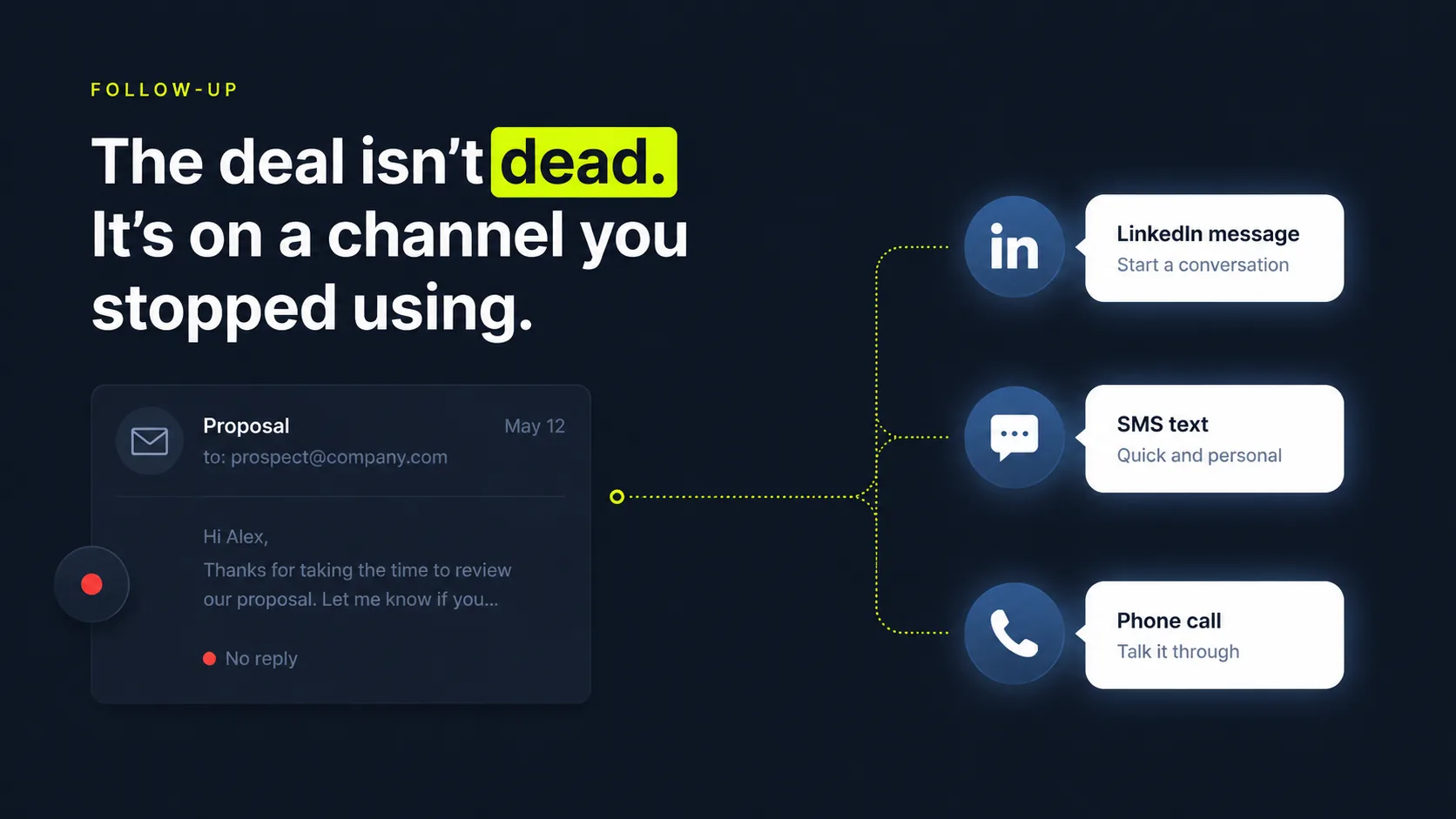
Get three things in place before you build the cadence, so you're not stopping halfway to wire up a channel. The prep is quick and it saves rework. Follow-up is already an uphill fight: 94% of B2B buyers report using AI while researching purchases, per Forrester (2026), so they self-serve, compare on their own time, and a lone email rarely earns a reply.
Most teams skip the prep. They start building touches before the raw materials exist, then stall on day two hunting for an SMS number. Gather these first and the rest moves fast. The short list breaks down into three buckets:
- Connected channels. A sending email inbox with good deliverability, a LinkedIn account for connection and message tasks, an SMS number set up for business texting, and a phone for call tasks.
- Message templates per channel. Short, distinct copy written for each channel, not one email reworded four times, plus the merge fields (first name, company, proposal detail) your tool will personalize.
- Cadence rules. The day-and-channel map, the gaps between touches, your exit conditions (reply, booking, opt-out), and the owner assignments for manual call and SMS tasks.
How do you build a multi-channel follow-up cadence step by step?
Build the cadence in six ordered steps, because each one depends on the choices before it. Most teams are already automating outreach: about 81% of sales teams now use or are experimenting with AI, per Salesforce (2024). But automating the wrong thing just spams faster. The difference between a cadence that books meetings and one that gets you blocked lives in how you sequence the channels, time the gaps, and stop on a reply.
Run the math on what's leaking. Say five proposals stall in a typical month, each worth $6,000, and you chase them with two emails and a shrug. That's $30,000 of warm pipeline drifting toward cold. Recover even one deal and this single sequence pays for itself many times over. That's the prize. Now here's how to claim it.
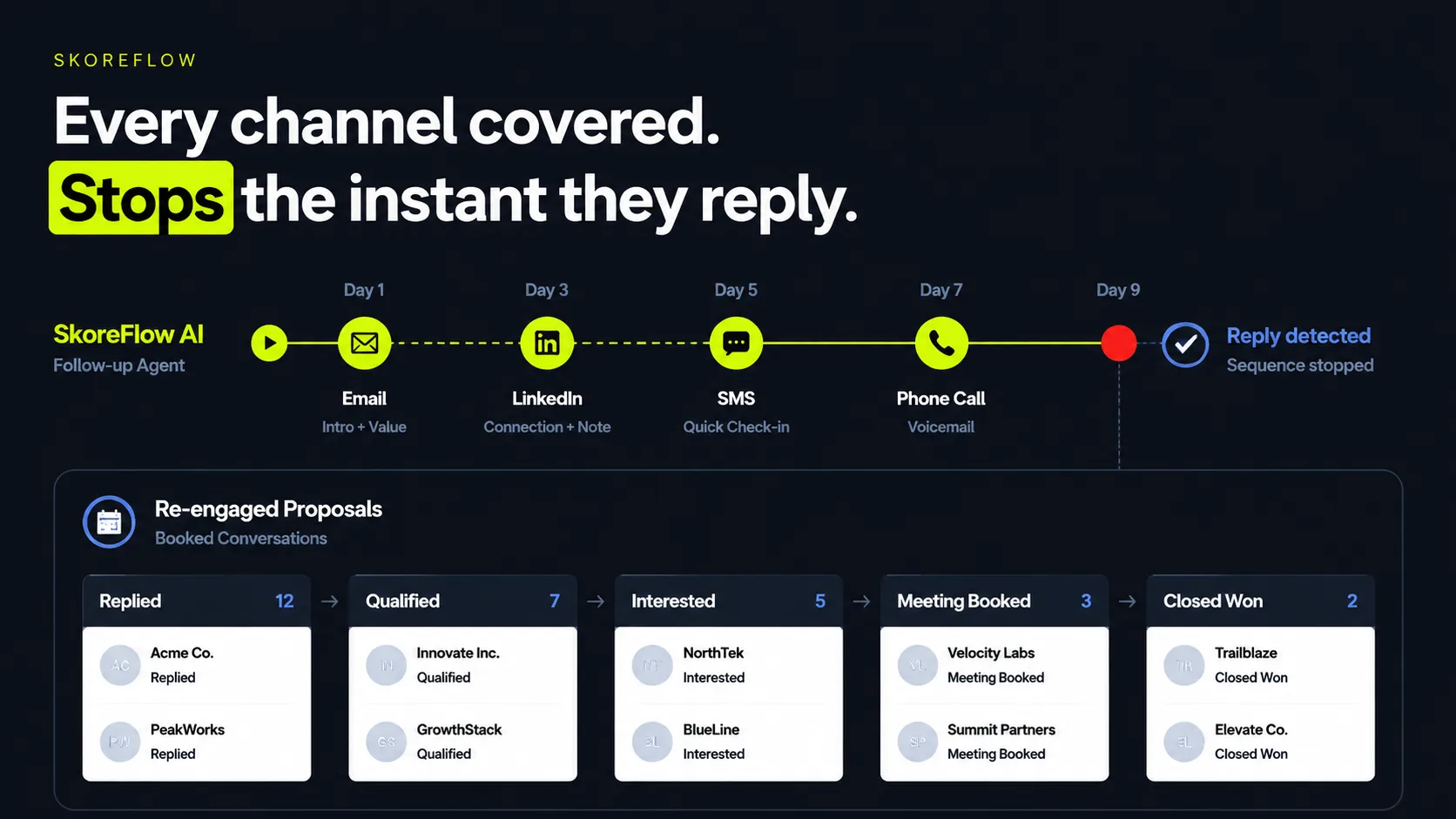
The same cadence reads more clearly as a table. Use it as a starting template, then adjust the days and channels to your audience:
| Day | Channel | Best use | Owner |
|---|---|---|---|
| Day 0 | Recap the proposal or request, attach detail, link a next step | Automated | |
| Day 2 | Short, personal connect or note that references the email | Automated | |
| Day 4 | Call | Live conversation with full lead context attached | Rep task |
| Day 6 | SMS | One or two friendly sentences nudging a reply | Rep task |
| Day 9 | Lightweight value add or a clear "still interested?" ask | Automated | |
| Day 13 | Call | Final attempt before the lead exits or recycles | Rep task |
1. Map the cadence by day and channel
Start with the map, because everything else hangs off it. Lay out each touch on a calendar: what day it fires, which channel it uses, and who owns it. A common warm-lead cadence runs day 0 email, day 2 LinkedIn connect, day 4 call task, day 6 SMS, day 9 email, day 13 final call. Spread the channels so no two same-channel touches sit back to back.
The map is also where you decide length. For a proposal that's still warm, 5 to 8 touches over two to three weeks is a sensible default before the lead exits or recycles. Fewer and you quit too early. More and you start to nag.
Citation capsule: The cadence map is the foundation of multi-channel follow-up. Plot each touch by day and channel, for example day 0 email, day 2 LinkedIn, day 4 call, day 6 SMS, so no two same-channel touches sit back to back. It matters because most teams already automate outreach: 81% of sales teams now use or are experimenting with AI (Salesforce, 2024).
2. Write a distinct message for each channel
Write copy that fits the channel it rides on, not one email pasted everywhere. An email can carry a paragraph and a link. A LinkedIn note is shorter and more personal. An SMS is one or two sentences and reads almost like a text from a friend. A call task needs a talk-track, not a script to recite word for word. Reuse the same message on every channel and the whole sequence reads like a bot, which is the fastest way to get muted.
In our experience, the channel sets the tone, not just the character limit. People accept a longer pitch in email, but a copy-pasted email landing as a text feels like an intrusion. Matching voice to channel is what makes a cadence feel like a person following up, not a machine spraying the same line four ways.
3. Set the timing and exit rules
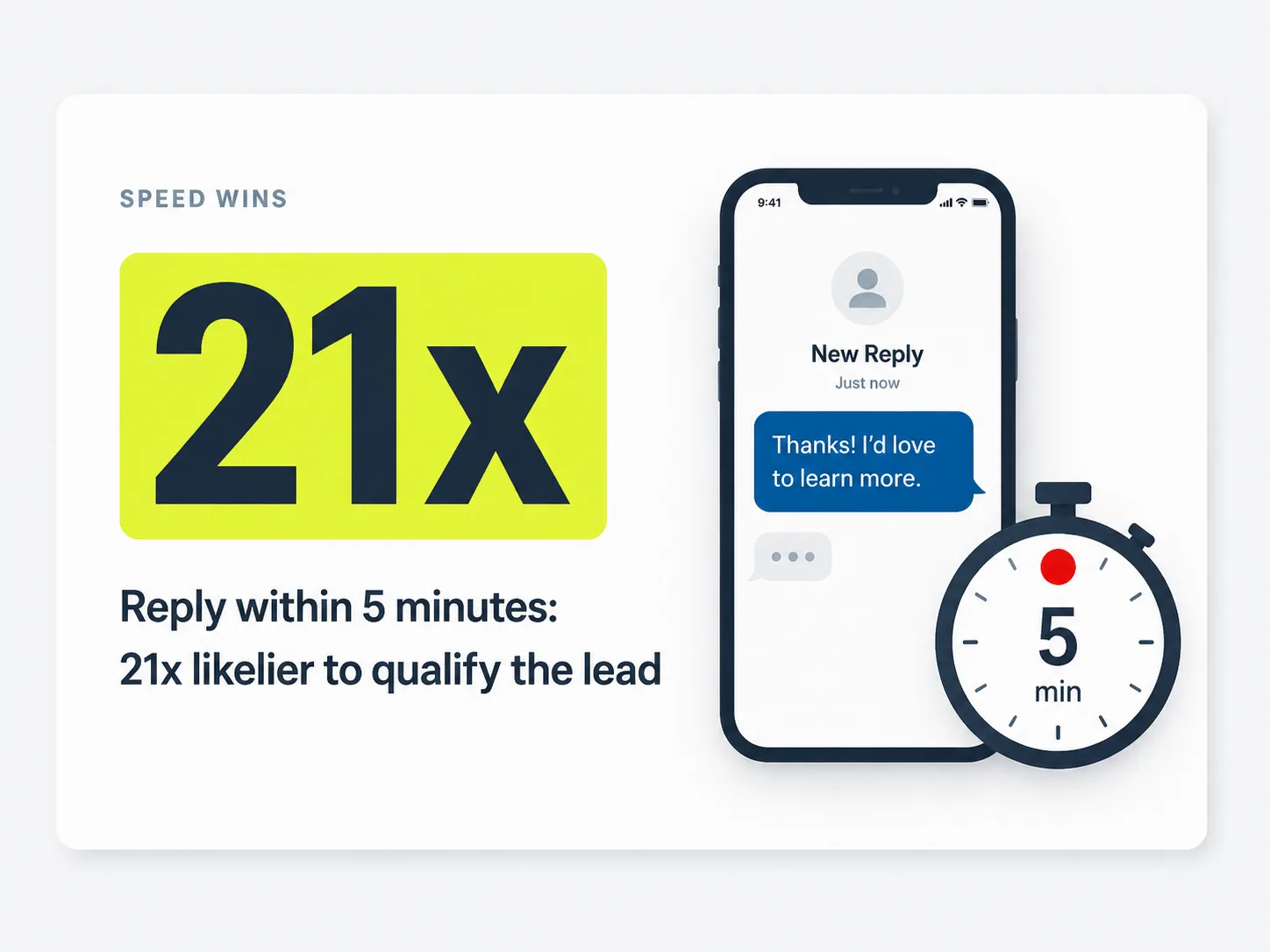
Decide the gap between touches and, just as important, when the sequence stops. Space touches one to four days apart so you stay present without crowding the inbox. Then define hard exit rules: stop on a reply, stop on a booking, stop on an opt-out, and cap total touches. Speed matters most at the front of the cadence: contacting a web lead within 5 minutes makes you 21x more likely to qualify it and 100x more likely to connect than waiting 30 minutes, per Harvard Business Review (2011). That finding dates to 2011, but a more recent corroboration holds: lead-to-conversion rates run about 8x higher when you engage within the first 5 minutes, per the InsideSales/XANT Lead Response Study (2021).
The exit rules protect the relationship. A lead who already replied and then keeps getting "just following up" texts will tune you out, or worse, report the number.
4. Add call and SMS tasks for reps
Build the manual touches into the cadence as assigned tasks, so reps know exactly what to do and when. Email and LinkedIn messages can fire automatically, but a call is a human moment, and a personal SMS often should be too. Create a task on the rep's list for each call and text, with the lead's context attached: what they asked for, the proposal amount, the last touch they got.
This is where many cadences quietly fall apart. If the call task is buried or vague, reps skip it, and the human touches that convert best never happen. So make the task impossible to ignore and load it with context.
Citation capsule: Human touches convert, so build them in as assigned rep tasks with proposal context attached. Why prioritize the call and the personal text? Because speed at the front of the cadence pays off: a firm is 21x more likely to qualify a web lead contacted within 5 minutes than one contacted after 30 (Harvard Business Review, 2011).
5. Route replies so the sequence stops
Wire up reply detection so a response on any channel pauses the cadence and alerts the right person. A reply by email, a LinkedIn message back, an inbound text, or a returned call should all flip the lead out of the automated sequence and into a human conversation. Skip this and your "follow-up" keeps machine-gunning a prospect who's already trying to talk to you, which is the fastest way to lose them.
Reply routing also feeds your speed. The 5-minute response advantage above only works if a reply reaches a rep instantly, not after the next batch job runs.
Reply-and-stop is the single rule that separates helpful follow-up from spam. We've found that teams obsess over message copy and forget the off switch. A perfectly worded touch sent to someone who already said "yes, call me" does more damage than a clumsy one sent into silence. Remember the off switch, because we flagged it up top and it's the rule most teams still miss.
6. Measure reply rate by channel
Track which channel earns replies, then rebalance the cadence toward what works. Tag every touch by channel and measure reply rate, connect rate, and bookings for each. You'll usually find one or two channels carry the response, and the data tells you where to add or cut touches. Buyers spend only about 17% of their buying journey with sales reps, per Gartner (2023), so every touch has to count.
Per-channel measurement is also how you defend the cadence to yourself. Without it, you're guessing whether the SMS or the call drove the meeting. Guessing gets expensive when buyer attention is this scarce.
Citation capsule: Measure reply, connect, and booking rates by channel, then shift touches toward whatever actually responds. The reason to be this disciplined: B2B buyers spend only about 17% of their buying journey meeting with suppliers (Gartner, 2023). With buyer attention that scarce, spreading effort evenly across channels that go unanswered wastes the few moments you get.
Want the cadence to fire on the right moment? See how to trigger outreach off the right buyer signals.
What are the common mistakes in multi-channel follow-up?
The most common mistake is treating multi-channel as "the same message, more places," which reads as spam and trains leads to ignore you. Patience for clumsy outreach is thin: 61% of B2B buyers say they'd prefer a rep-free buying experience, per Gartner (2025), so heavy-handed touches push them away fast. The errors below are the ones that kill cadences without ever announcing themselves.
Same message on every channel. Copy-pasting one email into LinkedIn, SMS, and a call script makes the whole sequence feel automated and impersonal. Write distinct copy that fits each channel's tone and length.
No reply-and-stop. Continuing to sequence a lead who already replied is the fastest way to annoy a warm prospect into ghosting you. Reply detection that pauses the cadence on any channel is non-negotiable.
Over-touching. Cramming touches too close together, or running too many, feels like pestering and pushes leads to opt out. Space touches one to four days apart and cap the total at a sensible 5 to 8.
Ignoring the data. Running the same cadence forever without measuring per-channel reply rate means you never learn what's working. Tag by channel and rebalance.
One pattern keeps repeating, and it's worth naming plainly: teams add channels hoping volume fixes weak follow-up, when the real problem is relevance and timing. Five thoughtful touches across the right channels beat fifteen identical ones every time. More channels multiply a good cadence. They multiply a bad one just as fast.
Citation capsule: The biggest follow-up mistakes are identical messages on every channel, no reply-and-stop rule, and over-touching. Each one pushes a warm lead toward the exit, and buyers already want less of that pressure: 61% of B2B buyers say they'd prefer a rep-free buying experience (Gartner, 2025).
How does SkoreHood run cross-channel follow-up automatically?
SkoreHood's Quote Follow-Up Automation runs the whole cadence for you, firing email and LinkedIn touches on schedule, queuing call and SMS tasks for reps, and stopping the instant a lead replies on any channel. When a proposal goes out, the sequence starts automatically with a contextual cadence and progressive value reveal personalized from the lead's record, so silent proposals get re-engaged without anyone tracking a spreadsheet of who to chase next.
It's built for agencies, consultancies, and contractors, and it works with the tools you already run: HubSpot, Pipedrive, PandaDoc, Gmail, and Outlook. Setup is data-safe and you're usually live in 5 to 10 days. The guarantee is concrete: recover 3 stalled deals in the first 30 days or you get a refund. The point isn't more messages. It's recovered deals, so the cadence books conversations rather than just pinging inboxes.
This matters because automated follow-up is where the results actually show up. Salesforce found 83% of sales teams using AI saw revenue growth versus 66% of those without, per Salesforce (2024), and demand for less friction is real: 61% of B2B buyers say they'd prefer a rep-free buying experience, per Gartner (2025). A well-run cadence gives buyers steady, low-pressure touches and frees reps for the conversations that actually close.
Setting up cross-channel follow-up for service businesses, we've found the durable win is the off switch and the call task, not the volume of messages. When replies on any channel pause the sequence automatically and the call task lands on a rep's list with full context, the cadence stops feeling like spam and starts feeling like attentive follow-up. That's the version leads actually answer.
Representative scenario (illustrative benchmark, not a real client): Picture a consultancy with stalled proposals sitting silent. In a modeled Quote Follow-Up rollout, roughly 87% of silent quotes re-engage once a contextual, multi-channel cadence kicks in, close rate on followed-up deals climbs toward 41%, and manual follow-up drops to about 1.5 hours a week. These figures are representative offer benchmarks, not measured results from a specific named customer, so treat them as a way to picture the shape of the gain, not a promise. What is well established is the mechanism behind it: contacting a web lead within 5 minutes makes a firm 21x more likely to qualify it than waiting 30 minutes, per Harvard Business Review (2011), and a multi-channel cadence simply creates more of those fast, well-timed openings than a lone email does.
Citation capsule: SkoreHood's Quote Follow-Up Automation fires email and LinkedIn touches on schedule, queues call and SMS tasks for reps with full context, and stops the cadence the instant a lead replies on any channel. Automating follow-up this way tracks with stronger results: 83% of sales teams using AI saw revenue growth, versus 66% of teams without it (Salesforce, 2024).
Put numbers on it: estimate what faster, multi-channel follow-up is worth with the follow-up ROI calculator.
Keep warm leads warm across every channel
The takeaway is straightforward: warm leads go cold in the gaps between touches, and a multi-channel cadence closes those gaps. Build it in order. Map the cadence by day and channel, write distinct copy per channel, set timing and exit rules, add call and SMS tasks for reps, route replies, and measure reply rate by channel. Skip the reply-and-stop rule or paste one message everywhere, and the cadence stops helping and starts spamming.
Now think back to that proposal sitting silent since Tuesday. It isn't lost. It's waiting on a channel you haven't tried yet. You don't have to choose between persistence and respect. A well-built sequence stays present on the channels a lead actually uses, then gets out of the way the moment they respond. Want help wiring a cross-channel cadence that fires automatically and stops on a reply? Book a Free Quote Audit, a no-pressure 20-minute call, and we'll map exactly where your follow-up is leaking warm deals and what recovering the next three is worth. You're usually live in 5 to 10 days, and the build comes with a 3-recovered-deals-or-refund guarantee, so the risk sits with us, not you.
Next steps: see the full quote follow-up approach, or learn how to trigger the right cadence automatically off buyer signals.
Written and reviewed by Maxim Skorohod, Founder of SkoreHood, who builds AI follow-up and voice automation for small service businesses, agencies, and consultancies. Last reviewed: 2026-06-07.
Proposals going quiet after you hit send?
Automated follow-up chases every open quote on schedule, so stalled deals get an answer instead of drifting to a competitor.