 Maxim Skorohod, SkoreHood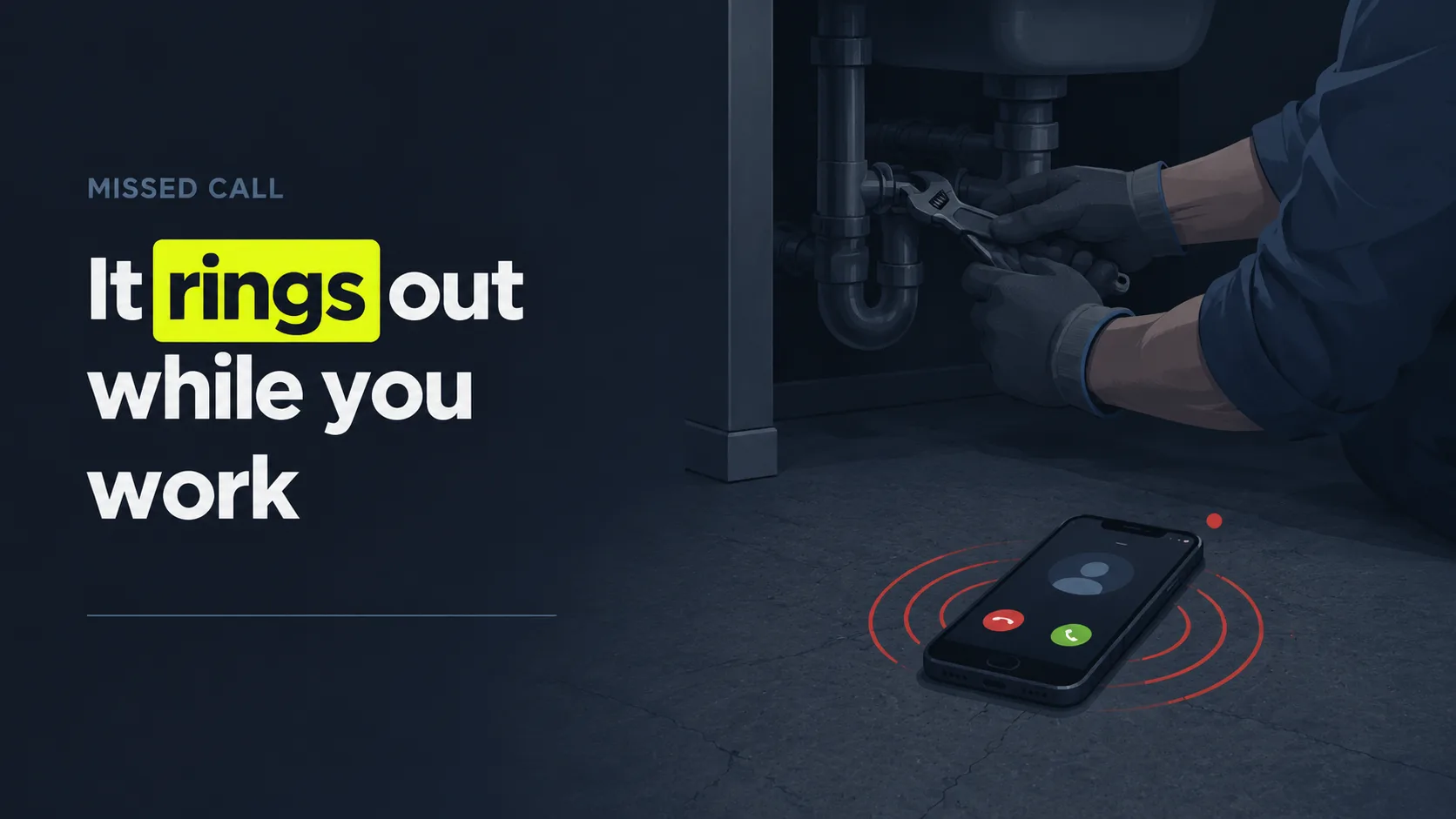
Do you actually need an answering service?
You probably need an answering service if you miss calls often enough that lost jobs would cover its cost, and those calls carry real buying intent. Inbound calls are the highest-intent leads most small businesses get: 66% of SMBs rate phone calls a "good" or "excellent" lead source, the top-rated channel ahead of online forms and email, per BIA/Kelsey (2014). So the real question isn't whether calls matter. It's whether you're catching them.
Here's a fast way to know. Run through this qualifier checklist, and the more boxes you tick, the stronger your case.
- Call volume: You get enough inbound calls that some ring out during the day. If the phone rings while you're mid-job, you're already losing some.
- Hours: A meaningful share of your calls arrive after 5 p.m. or on weekends. After-hours demand is real, and it varies by trade.
- Vertical: You're in a service or appointment business (trades, clinics, law, salons) where a single new client is worth hundreds or thousands of dollars.
- Speed: You can't always call back within a few minutes, and you've noticed callers don't leave voicemail.
- Coverage: You're a solo operator or small team, so there's no one to grab the phone when everyone's busy.
So why does after-hours matter so much? Because the volume is bigger than owners assume. Restaurants receive 51% of their calls after 5 p.m., and locksmiths get 42% either before 9 a.m. or after 5 p.m., per the BrightLocal Google My Business Insights Study (2019). If you only answer 9 to 5, a real slice of demand is dialing into silence.
Now here's the part that stings. In our experience setting up call flows for service shops, owners almost always underestimate their own miss rate before they measure it. The calls you pick up are the ones you remember. The ones that rang out during a job, after hours, or while you were on another line leave no memory and no record. They just leave. That's exactly why a benchmark beats a gut feel here, and why we'll put a real number on the leak before this guide ends.
Citation capsule: A small business needs an answering service when it misses high-intent calls it can't afford to lose. Inbound phone calls are the top-rated SMB lead source: 66% of small businesses rate phone calls a "good" or "excellent" source of leads, ahead of online forms and email, per BIA/Kelsey (2014).
Not sure how much coverage you need? Decide whether you need round-the-clock coverage.
What are the four options for answering calls?
You have four realistic ways to answer calls you can't take yourself: hire in-house, use a live answering service, use a full call center, or deploy an AI voice agent. They differ on cost, coverage, and how much of your business they can actually handle. For context, the median US receptionist earns $17.90 an hour, or $37,230 a year before benefits and overhead, per the U.S. Bureau of Labor Statistics (2024). That's the baseline every outsourced or AI option has to beat.
Look at all four side by side first.
| Option | Coverage | Typical cost | Pros | Cons |
|---|---|---|---|---|
| In-house receptionist | Business hours only | ~$37,230/yr + benefits (BLS, 2024) | Knows your business; on-site | No after-hours; sick days; turnover; one call at a time |
| Live answering service | Often 24/7 (plan-based) | ~$250-$1,725/mo (Ruby, 2026) | Human warmth; flexible | Per-minute costs add up; scripts limit depth |
| Full call center | 24/7, high volume | Custom, usually highest | Handles spikes and complex flows | Overkill and pricey for small teams |
| AI voice agent | Always on, 24/7 | From ~$65-$95/mo (Smith.ai, Posh, 2026) | Cheap to scale; instant; never busy | Needs good scripting; some callers prefer humans |
Now, one real concern about AI deserves a straight answer, not a dodge. 64% of customers would prefer that companies didn't use AI for customer service, and 53% would consider switching to a competitor if they learned a company used AI, per Gartner (2024). The top consumer worry is simple: that AI will make it harder to reach a person.
Most people read that Gartner data as a reason to avoid AI. We read it the opposite way, and here's the logic. The real failure mode callers fear is being trapped, not being helped. A missed call and a voicemail dead-end already deliver the exact outcome they dread: no human, no answer, just a beep. An AI agent that picks up instantly and hands off cleanly to a human beats voicemail on the one metric callers care about most. The villain isn't AI. It's silence.
The practical takeaway is short. In-house suits a busy office that needs an on-site face. A live service fits owners who want human handling without hiring. A call center fits high-volume operations. An AI voice agent fits small teams that want always-on coverage at a low, predictable cost, with humans on standby for the calls that need them.
Citation capsule: Small businesses choose among four answering options: in-house, live service, call center, or AI voice agent. The in-house benchmark they all compete with is a median receptionist wage of $17.90 an hour, or $37,230 a year before benefits, per the U.S. Bureau of Labor Statistics (2024).
Want this comparison in more depth? Compare the service types feature by feature.
What should you evaluate when choosing an answering service?
Evaluate an answering service on five things: coverage hours, whether it books appointments or just takes messages, how it integrates with your tools, its transfer and escalation rules, and its pricing model. These five decide whether a service actually recovers revenue or just forwards voicemails politely. Speed is the thread running through all of them: firms that contact a lead within 5 minutes are 21 times more likely to qualify it than those that wait 30 minutes, per Harvard Business Review (2011).
Work through these five criteria before you sign anything.
Coverage hours
Match coverage to when your calls actually arrive, not to when you happen to be open. After-hours volume is heavy in many trades. Restaurants get 51% of calls after 5 p.m. per BrightLocal (2019), so business-hours-only coverage leaves money on the table. Decide if you need full 24/7, after-hours overflow, or just busy-hour backup.
Booking vs. message-taking
This is the single biggest value gap between services, so weigh it hard. A message-taker writes down a name and number, and then you still have to call back, and most callers won't wait that long. A booking-capable service puts the job on your calendar while the caller is still on the line. Always ask the blunt question: can it actually schedule, or does it just relay?
Integrations
A good service writes into the tools you already use: your calendar, your CRM, your scheduling software. Without integration, every call becomes manual data entry, and details get lost in the shuffle. Confirm it connects to your stack, or that it can at least push structured notes you'll actually act on.
Transfer and escalation rules
Define exactly what happens with urgent or complex calls. The top consumer concern about AI is that it gets harder to reach a person, per Gartner (2024). So whether you go live or AI, insist on clean rules: which calls warm-transfer to you, which take a message, which trigger an immediate text alert.
Pricing model
Understand exactly what you pay for. Per-minute billing rewards short calls but punishes busy months. Flat plans give predictability but can bury you in unused minutes. We cover the numbers in the next section, but the principle is simple: model your real call volume against the pricing structure before you commit a dollar.
Citation capsule: Evaluate an answering service on coverage hours, booking vs. message-taking, integrations, transfer rules, and pricing. Speed underpins all of them: firms that contact a lead within 5 minutes are 21 times more likely to qualify it than firms that wait 30 minutes, per Harvard Business Review (2011).
For the booking question specifically, see what a virtual receptionist can and can't do.
What does an answering service cost?
A small business answering service typically costs between $100 and $500 a month, though live plans climb higher and AI plans start lower. Live virtual receptionist plans from Ruby run $250/mo for 50 minutes up to $1,725/mo for 500 minutes, per Ruby (2026). AI receptionist plans start far cheaper, from around $65 to $95 a month, per Posh and Smith.ai (2026). The pricing model matters as much as the headline number.
Three pricing structures dominate the market. Here's how they compare.
| Pricing model | How it works | Typical range | Best for |
|---|---|---|---|
| Per-minute (live) | You pay per minute of receptionist time | ~$1.50-$5.00/min (AnswerConnect 2025; Ruby derived 2026) | Low, unpredictable call volume |
| Monthly plan (minutes included) | Flat fee covers a minute bucket, then overage | Live ~$250-$1,725/mo (Ruby, 2026) | Steady, predictable volume |
| Flat AI plan | Fixed monthly fee, AI handles the calls | ~$65-$800/mo (Smith.ai, Posh, 2026) | Always-on coverage at low cost |
The per-minute gap between live and AI is the headline. Ruby's effective rate, derived from its own published plans, runs roughly $3.45 to $5.00 per receptionist-minute, per Ruby (2026), because you pay a human's time on every call, including the spam ones. Cheaper per minute does not automatically mean better: a live receptionist may handle a nuanced, emotional call better than a script. The right model is the one whose total cost at your real volume is lower than the revenue you would otherwise lose to missed calls.
Citation capsule: A small business answering service typically costs $100 to $500 a month. Live virtual receptionist plans run $250/mo for 50 minutes up to $1,725/mo for 500 minutes, per Ruby (2026), while AI receptionist plans start around $65 to $95 a month, per Posh and Smith.ai (2026).
Pricing note: Ruby, Smith.ai, and Posh figures were taken from each vendor's official pricing page and verified on 2026-06-06. Vendor pricing changes often, so confirm current rates on the linked pages before you budget.
Want named vendors with dated prices side by side? See the best answering services for small business, ranked. For live versus AI pricing by service type, see how live and AI pricing compare. Or price your own missed-call leak first.
How do you set up and onboard an answering service?
Setting up an answering service takes a few focused hours of prep, then usually a day or two to go live. You'll prepare three things: call forwarding from your business line, a call script that tells the service how to handle callers, and access to your calendar or CRM so it can book and log jobs. Done right, the service answers instantly, which matters because over half of callers hang up after eight minutes on hold, per Nextiva (2025).
Follow this onboarding sequence in order.
- Decide what to forward. Choose whether the service answers every call, only overflow calls when your line is busy, or only after-hours and weekend calls. Conditional forwarding lets you keep answering live when you can.
- Set up call forwarding. Configure your phone or VoIP system to route the chosen calls to the service's number. Most carriers do this in a few taps or a short support call.
- Write the script. Spell out your greeting, the questions to ask, how to qualify a job, what counts as urgent, and exactly when to transfer to you versus take a message.
- Connect your calendar and CRM. Give the service booking access so it can schedule jobs and log details directly, not just leave you a stack of callbacks.
- Define escalation rules. List the situations that warrant an immediate warm transfer or text alert: emergencies, big jobs, existing-client issues.
- Test it, then launch. Place test calls covering common and tricky scenarios, fix the script gaps, and go live. Review the first week of call logs closely.
The script is where most setups quietly succeed or fail. Owners rush it, then blame the service for "robotic" or unhelpful calls. But the fix isn't a fancier system, it's a sharper script: the exact qualifying questions, the precise transfer triggers, and a warm, plain-English greeting a tired homeowner at 9 p.m. will actually trust. Spend your prep time there, and the technology mostly takes care of itself.
Citation capsule: Setting up an answering service means preparing call forwarding, a script, and calendar or CRM access, then going live in a day or two. Instant answering is the goal, because over half of callers hang up after being on hold for eight minutes, per Nextiva (2025).
Running calls overnight too? See how 24/7 coverage changes onboarding.
How do you pick the right answering service?
Pick the answering service that matches your specific gap: after-hours coverage, faster answering, booking capability, or all three, at a cost your missed-call revenue justifies. There's no single "best" for every business, because needs differ by call volume, hours, and vertical. Ground the decision in your numbers, not a brand name. And remember the stakes we opened with: roughly 62% of small-business calls aren't answered by a person today, per 411 Locals (2016).
Use this decision recap to land on a choice.
- Name your gap. Are you losing calls after hours, during jobs, at peak times, or all of the above? The pattern points straight to the coverage you need.
- Set your must-have. If booking jobs matters more than message-taking, filter to services that actually schedule. Don't pay for a relay you'll have to follow up on yourself.
- Match coverage to call timing. If most calls come after 5 p.m., prioritize 24/7. If they cluster at midday, overflow backup may be enough.
- Compare cost to the leak. Put each option's monthly cost beside the revenue you lose to missed calls. If recovery beats cost, the decision is mostly made for you.
- Test before you commit. Trial the service with real call scenarios. Listen to how it handles a confused caller, an emergency, and a hard price shopper.
The most common mistake we see is shopping on price first and fit second. An owner picks the cheapest plan, discovers it only takes messages, and ends up making the callbacks anyway, which defeats the entire point and wastes the spend. So define what the service must do before you compare what it costs. The cheapest service that doesn't book jobs is the most expensive thing you can buy.
Citation capsule: Pick the answering service that fits your gap, after-hours, speed, or booking, at a cost your missed-call revenue justifies. The stakes are high: only 37.8% of small-business calls are answered live, so roughly 62% are not answered by a person, per 411 Locals (2016).
Want to size the leak first? Run the numbers on your missed calls.
Ready to see specific providers compared? Read best answering service for small business: 2026 shortlist.
How does SkoreHood approach this?
SkoreHood recovers missed calls for home-service trades: it answers in 0.4 seconds, filters spam, qualifies the caller, and books the estimate into your calendar. The key difference from a classic answering service like Ruby is simple. Ruby takes a message and leaves you to call back; SkoreHood books jobs, not messages. That matters because 64% of customers would prefer companies didn't use AI, and their top worry is that it gets harder to reach a person, per Gartner (2024). Clean handoff is built in, not bolted on.
The fit is strongest for plumbers, HVAC techs, electricians, and inspectors who can't always grab the phone and would rather dispatch a booked estimate than collect a voicemail. That's also where the momentum is heading: among the smallest US firms, AI adoption roughly doubled in six months, rising to 5.8% of 1-to-4-employee firms, per the U.S. Census Bureau Business Trends and Outlook Survey (2025).
The setup is built for small teams, not enterprise theater. SkoreHood connects to ServiceTitan, Jobber, Housecall Pro, and Google Calendar, and most shops are live in 48 hours. Plans run from $197/mo (Starter) to $397/mo (Professional) and $697/mo (Enterprise), with a setup fee on each tier. The guarantee is concrete and reverses your risk: 5 booked jobs in 30 days, or you get your setup fee refunded.
What does that look like in practice? As a representative, illustrative scenario, not a measured client result, a busy trades shop that recovers its missed calls can lift its answer rate toward 94% (versus the roughly 38% many run today) and return on the order of $14,200 a month in jobs it would otherwise lose to silence. Your real numbers depend on your call volume and ticket size, which is exactly what the free audit measures.
Citation capsule: SkoreHood recovers missed calls for trades by answering in 0.4 seconds and booking the estimate, not just taking a message like Ruby would. It addresses consumer concerns directly: 64% of customers would prefer companies didn't use AI, and their top worry is that it becomes harder to reach a person, per Gartner (2024).
Curious how it works end to end? Explore the full missed-call recovery service.
The bottom line
The short version is simple. An answering service for a small business earns its keep when you're missing calls that could become jobs, and most owners are missing far more than they realize, because the calls that ring out leave no record. The decision comes down to three things: when you need coverage, whether the service books jobs or just takes messages, and a price that your recovered revenue clears.
So don't shop on price alone. Name your gap first, then find the option that fills it. Compare each monthly cost against the revenue you lose to unanswered calls, trial a shortlist with real scenarios, and pick the fit, not the brand. Want to know what that silent leak is actually costing you? Book a Free Call Audit, a 20-minute, no-pressure walkthrough where we map where your phone is dropping jobs and what plugging it could return. No prep, no pitch, just your numbers.
Next steps: see the full missed-call recovery service, or estimate your missed-call revenue leak first.
Written and reviewed by Maxim Skorohod, Founder of SkoreHood, who builds AI answering and voice automation for small service businesses. Last reviewed: 2026-06-07.
Still sending callers to voicemail?
An AI voice agent picks up the calls your team misses in under a second, qualifies the job and books it into your calendar.